
Deposit and publish
Which research data does ADP publish?
As a rule, ADP publishes social science research data, with a particular focus on topics related to Slovenian society, as well as data that are relevant to Slovenian society and the social sciences regardless of their geographical origin.
For more information, see the Acqusition Criteria section.
As a disciplinary repository, ADP develops and maintains the national collection of social science research data. Priority is given to high-quality research datasets with provisions for long-term preservation and sustainable access. During the publication process, ADP performs an editorial review and a professional assessment of the data and accompanying documentation.
Authors are advised to consider that, due to the complexity of the review process and the growing number of submissions, publication may take several weeks.
The depositor submits the study description (metadata) and digital objects to the ADP Digital Collection on Dataverse.
To access Dataverse, users must register or log in.
A thorough metadata description is essential for understanding the data file and accompanying materials, and it is a prerequisite for enabling the reuse of your research. As with data preparation, only the author — being most familiar with the study — can provide the most accurate bibliographic and methodological details about the research.
We recommend reviewing the following documents before submitting your study to Dataverse:
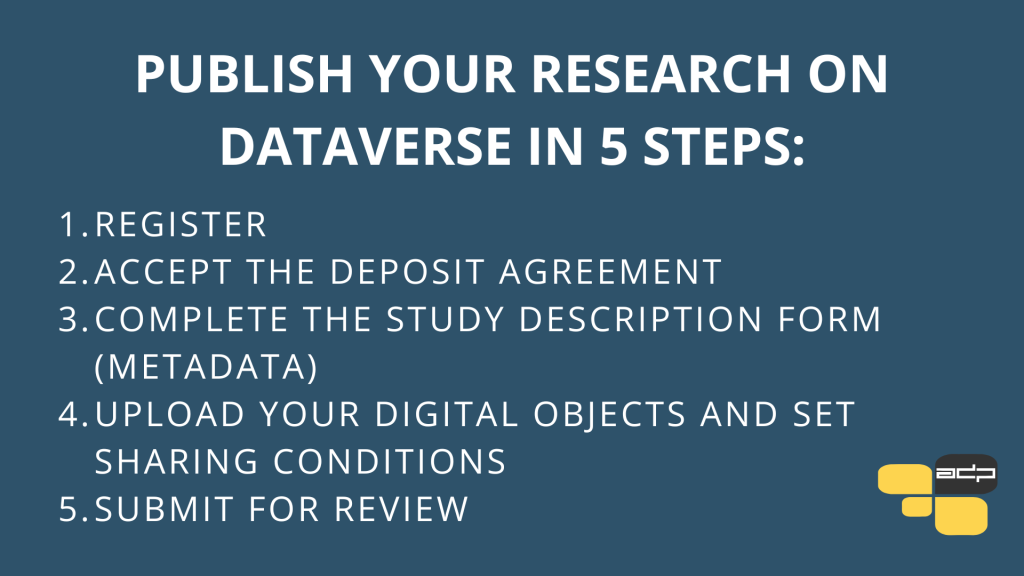
Detailed Steps for Publishing Data:
- Log in or register for your account in the ADP Dataverse Collection.
- To submit a new study, click the “Add Data” button on the right and select “New Study.”
- In the Deposit Agreement, review the general terms of deposit and copyright options. Confirm that you agree to the terms.
- Enter the required information about the study in the input fields, including citation metadata, geographic metadata, and methodology. Use the guidelines (Study Description Metadata Template) for assistance.
- When entering content for the first time, complete all fields marked with an asterisk and click “Save Study.”
- The Dataverse application does not have an autosave function. Save any changes by clicking “Save Changes.” All content can be edited or added at any time.
- Upload digital objects (files) and provide the required information for each file. Be sure to upload the data file, the questionnaire or other data collection instrument, and the legal basis for data sharing (e.g., informed consent form, intellectual property rights documentation, etc.).
- Once you are satisfied with the content, click “Submit for Review.” During the review process, the content cannot be edited.
- ADP reviews the study. Based on evaluation criteria, ADP assesses the submission, suggests possible additions or corrections to the metadata and materials, and assigns the study to the appropriate ADP sub-collection (active preservation or initial curation). ADP will contact you during this stage.
- When the materials and metadata are properly prepared, ADP publishes the study in the ADP Dataverse Collection.
Use of Artificial Intelligence:
In the documentation, clearly state:
- which artificial intelligence tools were used in the research,
- for which stages of data collection or data processing,
- how you ensured quality control and validated the results.
This increases transparency and enables proper interpretation of the data, while not affecting authorship.